


Price: ₹1,299 - ₹695.00
(as of Jul 24, 2025 16:22:14 UTC – Details)

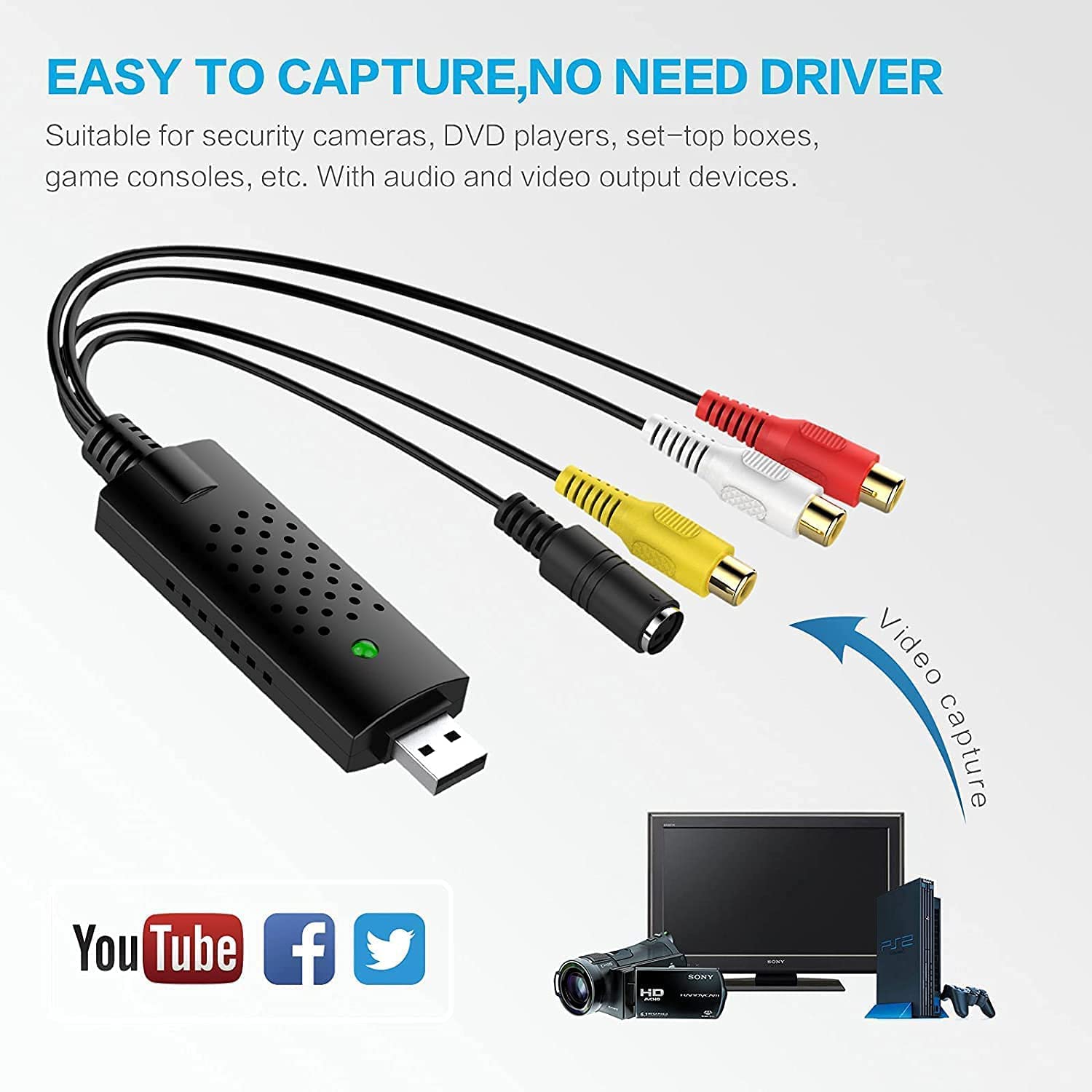
USB 2.0 Video Capture Card Converter PC Adapter TV Audio DVD DVR VHS For Window Linux MAC OS Support OBS Potplayer. etc
Features:
Capture video&Audio though USB 2.0 interface
Support Brightness, contrast, Hue, and Saturation control.
The dimension suitable that is easy to carry.
Support For All Formats: record in DVD+/- R/RW DVD +/- VR.and DVD-Video
Applying to internet conference/net meeting
Support NTSC, PAL Video format
Specifications:
Video input: one RCA composite one s-video
Audio input: stereo audio(RCA)
Supports high quality video resolution:
Video Resolution: NTSC: 720 x 480 at 30 fps PAL: 720 x 756 at 25 fps
Support: for Window 10 8 7 Vista XP LINUX
Package Includes:
1x USB 2.0 Video Adapter with Audio
1x USB Cable
1x CD-ROM Capture Software
Q&A:
1. Can this capture card be used on desktop computers and laptops?
Yes, as long as there is a USB interface computer, you can use this capture card
2. How to use it to ,which app?
Suggest the OSB Studio software,Google OBS, Downalod software and install it, Easy to Setup.
3: Whether it support other capture software?
Support most capture software, such as Potplayer, XSplit, AMCap, VLC, etc.
4: Why does the record video have black edges?
Please choose same resolution of input video and OBS setting.
The VHS to Digital Converter USB 2.0 Video Converter Audio Capture Card, VHS to PC, VHS VCR TV to Digital Converter. Suitable for Win 2000/Win XP/ Win 7/Win 8/ Win 10/ Win 11/ Mac
VHS to USB converter Adapter provides a link between a PC and a video device with RCA connector or S-Video connector, such as VHS, VCR, DVD. Capture high picture quality Video & Audio through popular USB 2.0 audio/video interface and not need external power
Support for most formats: DVD+/-R/RW, DVD+/-VR, and DVD-Video. Applying to internet conference/net meeting. Supports high quality video resolution NTSC: 720 x 480 @30fps, PAL:720×576@ 25fps
Plug and Play, Support Brightness, Contrast, Hue, and Saturation Control. Capture audio without the sound card. It is not recommended to use a USB extension cable or a USB HUB splitter
NOTE – If you don’t have a CD drive, we recommend that you download OBS (or potplayer) on your computer. It can be downloaded for free online. If you use it on Mac, there is no need to download any drive or software. MAC’s own software – QuickTime player which can handle video conversion. If you do not think it is applicable when you use this product, it should be unclear in the use of the software. If you have such a question, don’t hesitate to contact us as soon as possible
Commitment – If you encounter a situation where you need the product Key during use, the key is in a file named key on the CD-ROM that comes with the product. If you encounter any problems in using our products, please do not hesitate to contact us. We will reply you within 24 hours and try our best to provide you with a satisfactory solution.


Reviews
There are no reviews yet.